Danger
Danger automates code reviews through CI tools, aiding both code reviewers and developers who submit pull requests. It reduces the time reviewers spend on routine tasks, allowing more efficient code evaluation.
You can easily automate opened PRs with Appcircle's Danger integration.
For detailed information on the benefits that Danger, please refer to the following blog post:

This tool does not support AzureDevOps. Therefore, if your repository is hosted on AzureDevOps, this tool will not function. Please use the Azure Bot for Swiftlint(for iOS) and Azure Bot for Detekt Report(for Android) components instead.
Danger integration currently supports Ruby only. For more details, see Danger for Ruby.
Please remember that you must use the one of latest versions of Danger in your project. To avoid encountering any errors while working with Danger on Appcircle, you must have the latest version of Danger installed in your Gemfile.
Example Gemfile:
source "https://rubygems.org"

gem "danger", "9.5.3"
.
.
.
. //Other Gems
Prerequisites
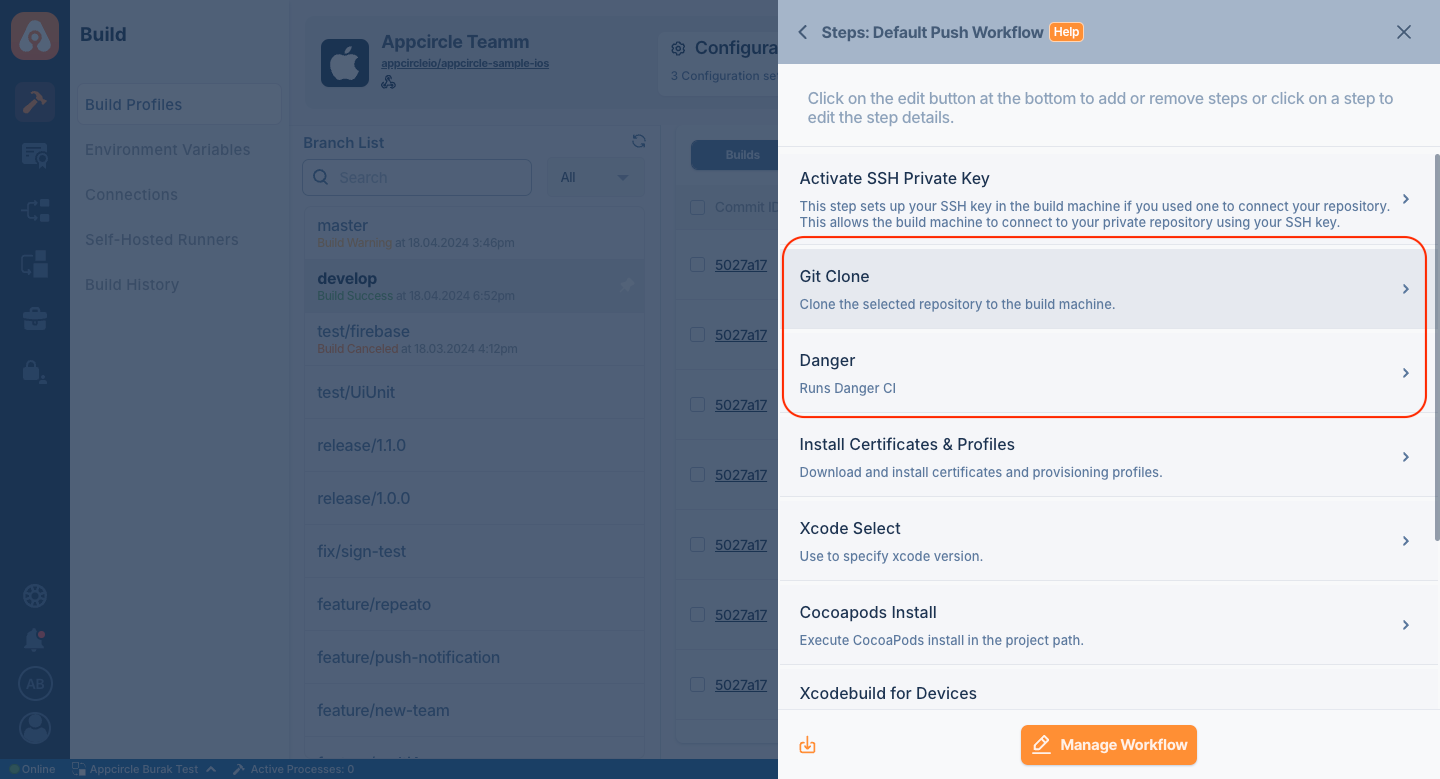
Before running the Danger step, you must complete certain prerequisites, as detailed in the table below:
| Prerequisite Workflow Step | Description |
|---|---|
| Git Clone | The repository needs to be cloned to begin the code review process. After this step, the variable $AC_REPOSITORY_DIR will be set. |
Note that this component synchronizes with the Appcircle Triggers. Without a setup trigger, opening a PR will not trigger the pipeline, and Danger will not function.
Input Variables
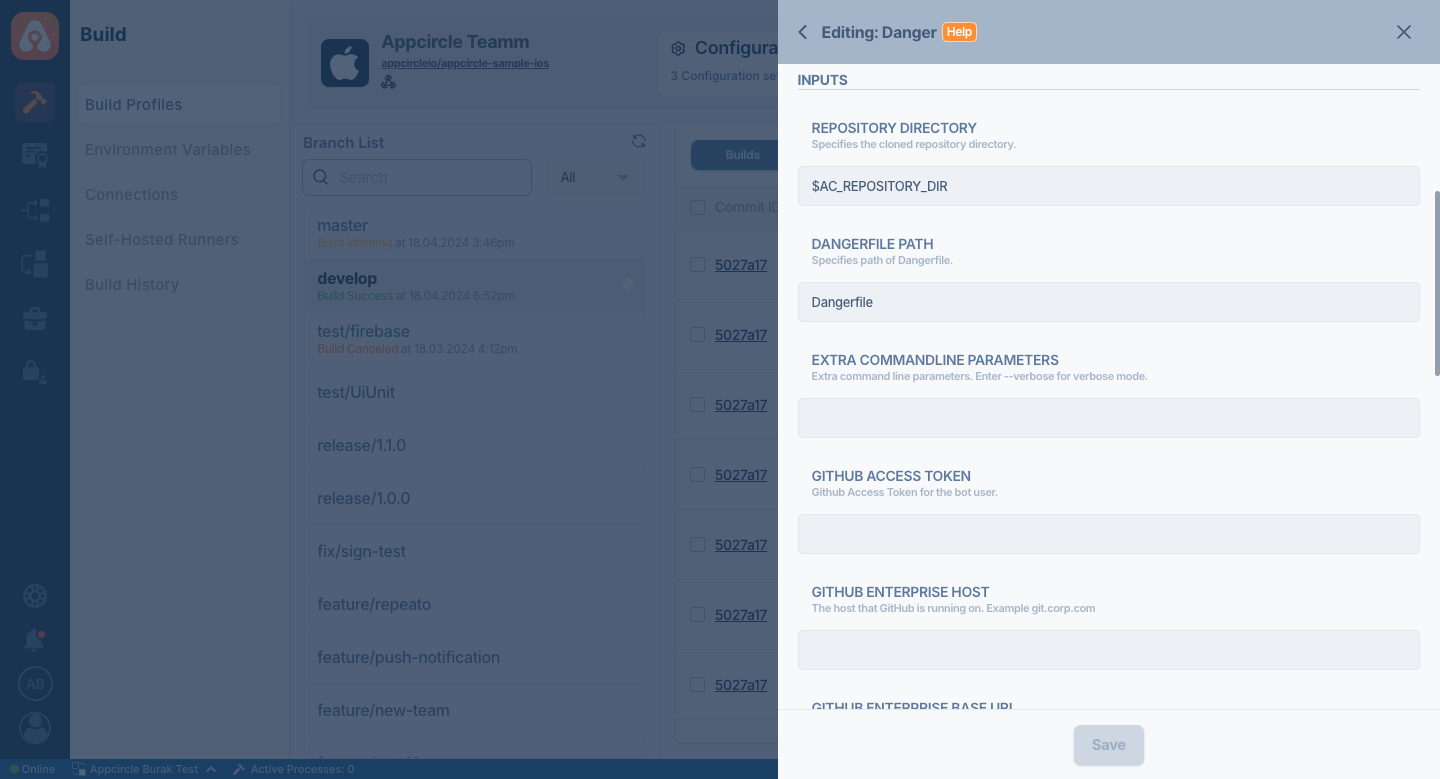
This step contains some input variable(s). It needs these variable(s) to work. The table below gives explanation for this variable(s).
Please do not use sensitive variables such as Username, Password, API Key, or Personal Access Key directly within the step.
We recommend using Environment Variables groups for such sensitive variables.
The Danger component requires the following inputs to work with Git providers. Define the input information required by your Git provider in the Appcircle Environment Variable and provide it directly to the component input.
This way, when the build starts, Appcircle will register these environment variables to the runner, and the Danger component will automatically use this information.
For more information, please visit the Environment Variables documentation.
| Variable Name | Description | Status |
|---|---|---|
$AC_REPOSITORY_DIR | Specifies the cloned repository directory. This path will be generated after the Git Clone step. | Required |
$AC_DANGER_PATH | Specifies path of Dangerfile. This path comes from $AC_REPOSITORY_DIR. If DangerFile is in main directory of your repository. Do not change. | Required |
$AC_DANGER_EXTRA_PARAMETERS | Extra command line parameters. For Example: enter --verbose for verbose mode. | Optional |
$DANGER_GITHUB_API_TOKEN | Github Access Token for the bot user. | Optional |
$DANGER_GITHUB_HOST | The host that GitHub is running on. For example: git.corp.com | Optional |
$DANGER_GITHUB_API_BASE_URL | The host that the GitHub Enterprise API is reachable on. For example: https://git.corp.com/api/v3 | Optional |
$DANGER_GITLAB_API_TOKEN | GitLab Access Token for the bot user. | Optional |
$DANGER_GITLAB_HOST | The host that GitLab is running on. For example: git.corp.com | Optional |
$DANGER_GITLAB_API_BASE_URL | The host that the GitLab API is reachable on. For example: https://git.corp.com/api/v4 | Optional |
$DANGER_BITBUCKETCLOUD_USERNAME | Bitbucket username for the bot user. | Optional |
$DANGER_BITBUCKETCLOUD_PASSWORD | Bitbucket password for the bot user. | Optional |
$DANGER_BITBUCKETCLOUD_UUID | Bitbucket UUID of the bot user. | Optional |
$DANGER_BITBUCKETSERVER_USERNAME | Bitbucket username for the bot user. | Optional |
$DANGER_BITBUCKETSERVER_PASSWORD | Bitbucket password for the bot user. | Optional |
$DANGER_BITBUCKETSERVER_HOST | The host that Bitbucket is running on. For example: git.corp.com | Optional |
To access the source code of this component, please use the following link:
FAQ
How can I solve the bundler: command not found: danger error?
This error occurs when the Danger gem is missing in your environment. To fix it, add the following line to your Gemfile:
gem 'danger'